Hi,
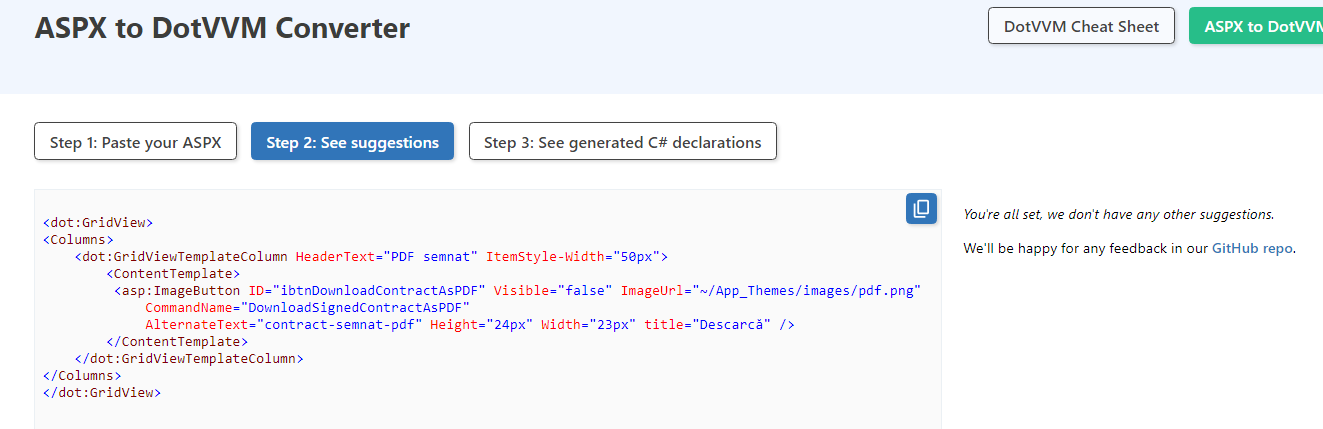
What would be a recommended adaptation into DotVVM of the old <asp:ImageButton ?
I think this would do: Button | DotVVM Documentation
Where I’ll change <bp:Icon to a HTML <img.
Yes, exactly, just place an img tag inside the bp:Button, dot:Button or dot:LinkButton
<dot:Button ButtonTagName="button">
    <img src="~/some-image.png" alt="something" width...>
</dot:Button>
I’m not sure what ImageButton does, it could also just add an click event onto the img. That is possible with Events.Click={...}, but I’d generally recommend against it (buttons can also be triggered with tab-tab-enter). If you don’t want the button borders, they can be removed with CSS.
Just for reference:
<asp:ImageButton renders in the html document as <input type="image" with the “onclick” attribute set to javascript:WebForm_DoPostBackWithOptions(new WebForm_PostBackOptions(...)
Ok, then an exact equivalent would be <input type=image Events.Click={...}>