Hi,
Compilation Status Page gives me a warning when i use ‘<=’ check in pure javascript:
Test.dotvvm:
...
<body>
    <div class="container">
        {{value: Now}}
    </div>

<script>
    function AnyMethod() {
        var a = 10;
        var b = 20;
        if (a <= b) {
            console.log("a is less than or equal to b");
        } else {
            console.log("a is greater than b");
        }
    }
</script>

</body>
</html>
The warning message is as follows:
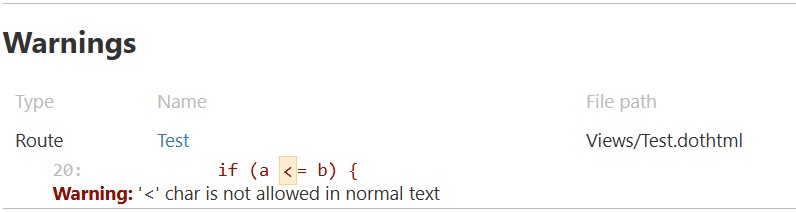
If I use ‘<’ instead of '<=", no warning is generated.
‘<=’ seems to be crawled across the entire page. Perhaps you can prevent it from being crawled within the script block.
Regards.