[bp:FileUpload] front-end Business Pack error when uploading multiple files that together go beyond Kestrel's request limit

Hi,

We have a situation in a page where the user needs to be able to upload multiple files, MaxFileSize=10MB.
Because the number of potential given files is apparently not limitable through means of just FileUpload itself, surely the Kestrel MaxRequestBodySize is permitted to be exceeded at some time on the client-side.

There is no problem if a single file is bigger than MaxRequestBodySize, I see that the file is declared in UI in the FileUpload control but it is in fact NOT uploaded tot the temp folder on the server, no error:


And after PostBack, the custom server-side validation does its job:

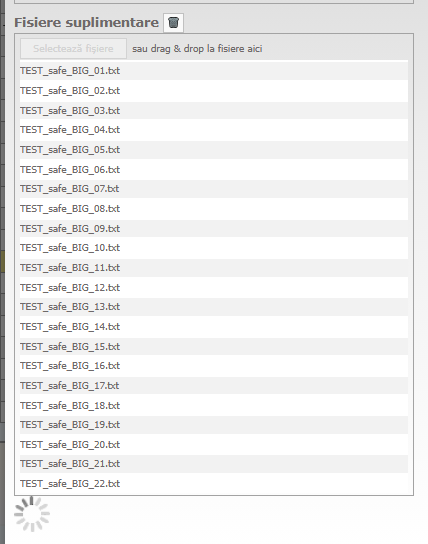
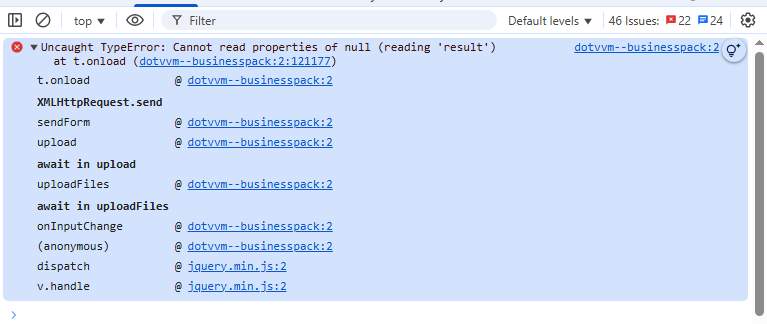
On the other hand, if the user gives too many valid sized smaller files that by their total size exceed MaxRequestBodySize, the front-end crashes. Look:

image
The error appears in the console without any of the files being uploaded. Not a single file is uploaded.
Now, because of the way the page is designed and the process goes along, while the control IsBusy, the page is locked out and the user cannot interact with it, waiting forever for the supposed upload to end. The user is forced to reload the whole page and lose the work done prior! This is a UX breaker.

Switching to a multiple single-file repeated upload design would be a chore for the user (again, UX issue and business process hinderance) and surely, the Kestrel MaxRequestBodySize needs to be there.

How can the total number of specified files and the total size be managed and validated on the client-side, to avoid this apparent bug with the control?

PS: Is there a way to configure/adjust the FileUpload control to make server uploads(attempted uploads) for each file separately? Because, from what I can tell, the BP error is latched onto the control trying to upload the entire bunch in one server call.
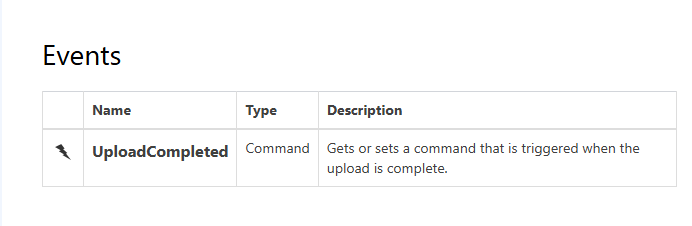

This being the only event of the control, I’m left with thinking about some client-side javascript solution which is not preferred.
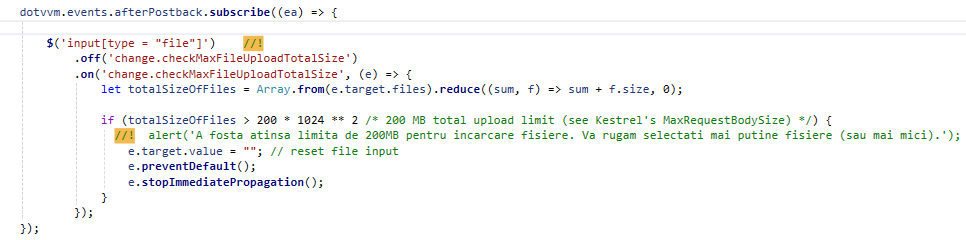
([bp:FileUpload] UploadStarted event - #2 by exyi)…

handling this way does not make the BP error go away

Neither in this way

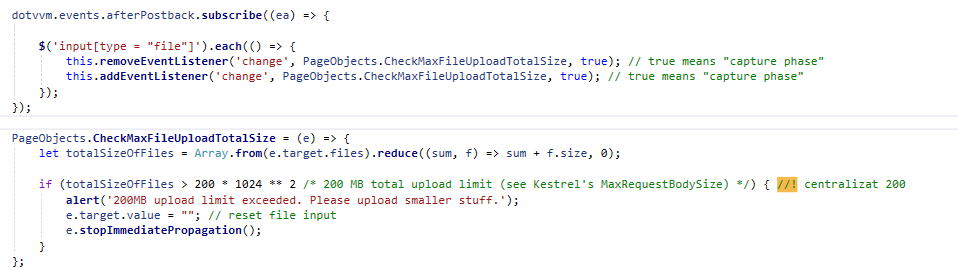
After careful study of the matter, my solution is a somewhat hacky workaround that manages to avoid the existing “change” handler of the BP FileUpload control to be executed, by imposing a custom handler in the capture phase of the event-handler traversal of the DOM so that the stopImmediatePropagation() can have an effect on the control’s existing “change” handler. Thus, the error is not thrown anymore by the control because the control does not get the chance to handle the event at all.
What was achieved besides not getting the error, and is important, is that the upload is avoided entirely for files that in our particular case would have been discarded anyway because of the max files volume exceeded case, files that needlessly were sent to the temp folder on the server, piling up through a weakness of how the upload could be abused …but not anymore. This solving process was in the context of a BeforeUpload control event not being available.
So:

Please give me a feedback on that error if it is a bug or not and if not - what am I doing wrong in leveraging the control.

I’m afraid this is working as intended. MaxFileSize is supposed to limit one file, the files are uploaded together and kestrel is supposed to limit the request size. We should think about adding a total size limit property or uploading the files individually, but currently I’m not aware of how to configure this properly

1 Like